Track Your Time
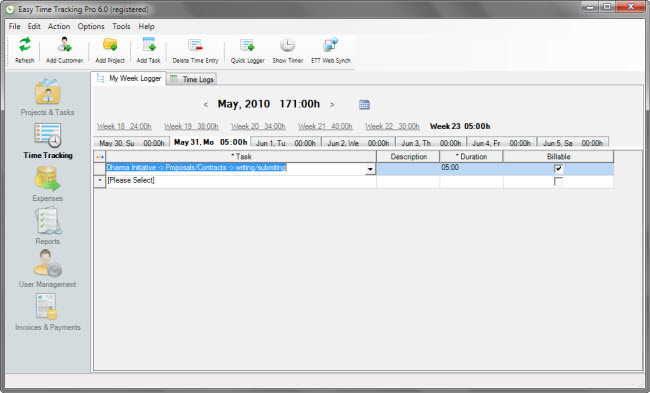
- Timer is a nice tool to help you automatically capture your daily time allocations.
You can run it hidden, or leave it on the screen and on top of all other windows.
- Sychronize your time log data between the desktop and the web version of ETT with a simple click.
This means, you can input your entries on the web, no matter where you are in the world, and then sync them with ETT on your laptop when you’re back.
- You can also log your work hours manually on the (spreadsheet style) Timesheet grid
Manage Your Time Logs
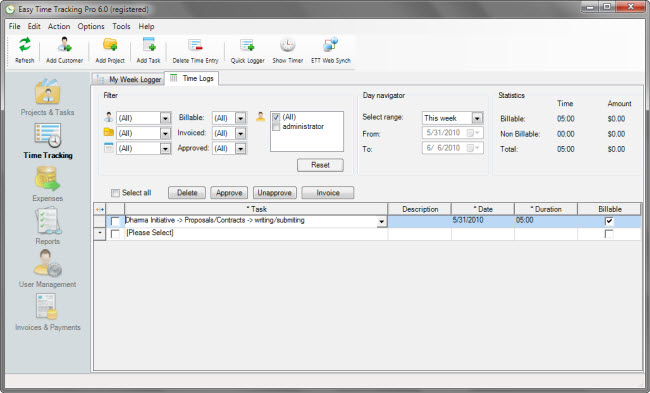
- As an alternative to Time Logs mode, you can select the My Week Logger mode to access and manage your time logs.
My Week Logger is a great way to view, add or edit time logs on a weekly timeline, this works much like a personal scheduler.
- Statistics help you see billable or non-billable time totals for any project, task or client.
- Sort and filter records by virtually any field.
Generate Your Reports
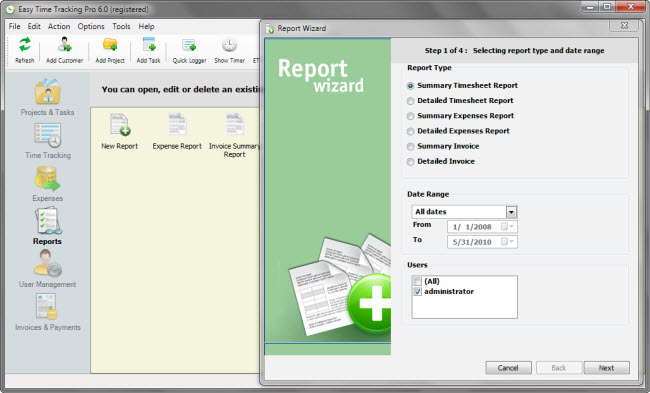
- Once created, reports are automatically saved for future use.
- Date range based on specific set dates or timeframes such as This Month, Last Week, This Year and more.
- A wizard to walk you through creating a report step by step.
Manage Your Customers, Projects and Tasks
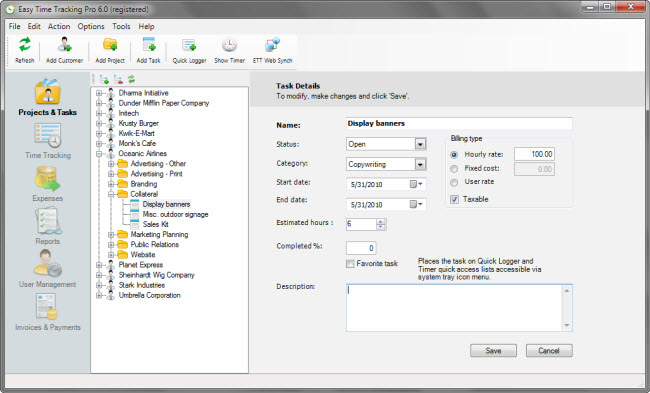
- Using the intuitive Tree View mode, you can easily manage all your projects and tasks.
Full drag and drop support for cloning customers, projects or tasks.
- Three types of billing are supported: hourly rate, fixed cost, user rate.
Employee-rate based billing of tasks.
- Enter and change details for Tasks, Projects and Customers.
Track Your Expenses
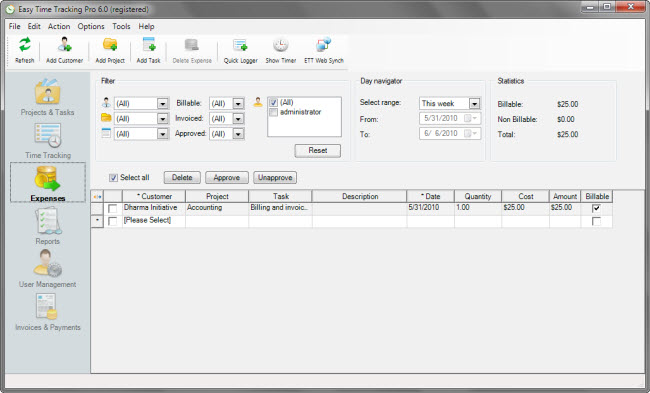
- Track three levels of expenses: customer, project, and task.
- Statistics help you keep track of your overall expenses.
Create Your Invoices
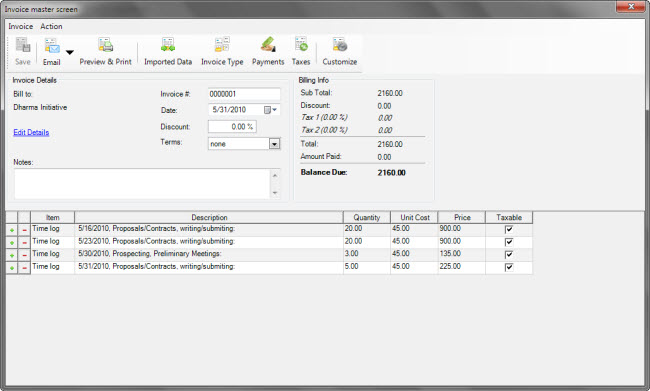
- Have payment terms, discounts, and taxes included.
- Customize the layout of an invoice.
- Add billable invoice entries automatically or manually.
Manage Your Invoices
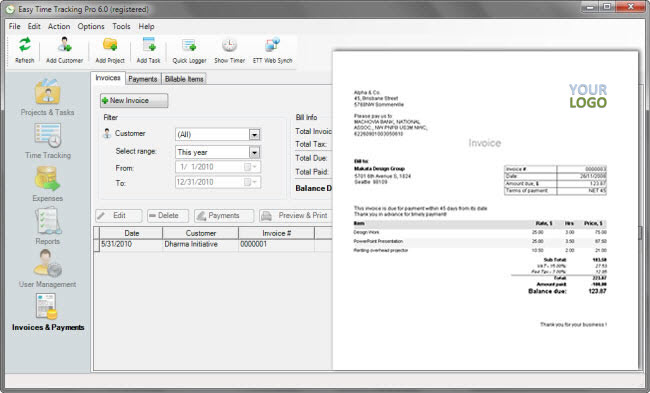
- Invoices can be created based on existing timesheet entries and expenses.
- Summary or Detailed invoices that you can save, edit, email, print out, or export to popular file formats, including PDF.
- Create industry standard, professionally looking invoices with a wide choice of customization options, easy to generate, easy to handle.
Customize Your Invoices
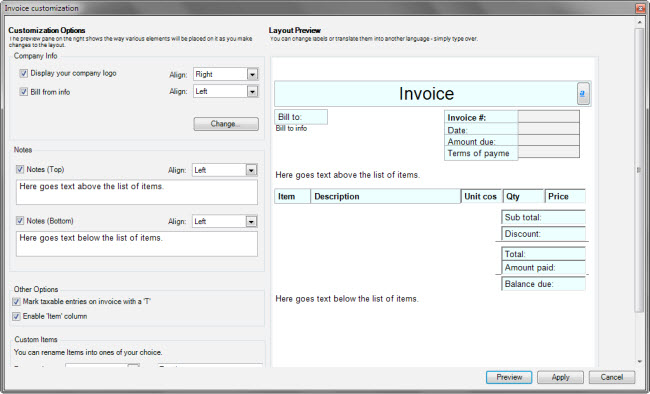
- Have your company logo included.
- Editable labels, write in any language, in any font, in any color !
- Interchangeable layout elements.
Web Access
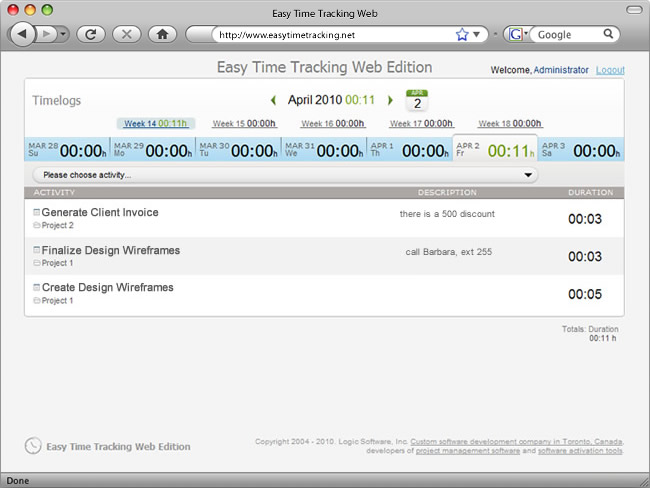
- Cloud-based component allows logging billable or non-billable hours online to be then synchronized with the main desktop application.
- Full text search for tasks, and in-line on-the-fly editor.
- The web component can be accessed in any web browser connected to the cloud.
Easy Time Tracking is a great way for freelancers to keep tabs on their work, record billable hours and generate invoices. But what to do if you don’t have access to your computer where ETT is installed, like when away on a field trip? That’s when ETT Web comes to help! It allows you to log in and record hours you work on your projects and tasks using an ETT Web account. The best part is that you can at any time synchronize time logs entered online with the desktop Easy Time Tracking. Wherever you are, Easy Time Tracking is always there to help you do business.


